Long term memory
How memory helps you avoid repeating yourself.
Overview
JioAI Assistant remembers useful details from your chats — things you ask it to keep, and stable facts it picks up — so you do not have to repeat yourself. Clear instructions like “Always use bullet points” or “Call me Alex” are saved; casual phrases and short-lived updates are not. Manage everything in Settings → Memory.
How it works
What gets saved:
Clear “Remember…”, “Always…”, or “From now on…” instructions and lasting facts such as your role, team, and reply style are saved. Casual uses of “remember” and momentary status updates are not.
Manage memories:
Open Settings → Memory to view, edit, or delete saved memories. Turn memory off to stop creating new ones — existing memories stay until you delete them.
When it applies:
Memories are used only when relevant to your current question. Deleting a chat removes memories that came only from that chat.
Organisation:
Organisation admins can turn memory off for everyone. Keep work-appropriate information only — do not store passwords or highly sensitive data.
Tip:
Tell the assistant what to remember in plain language, then review the list in Settings → Memory.
Walkthrough
1. Manage memory in Settings
Open Settings → Memory to view, edit, or delete saved memories.
All saved memories appear in one list. Turn memory off to stop creating new ones — existing memories stay until you delete them.
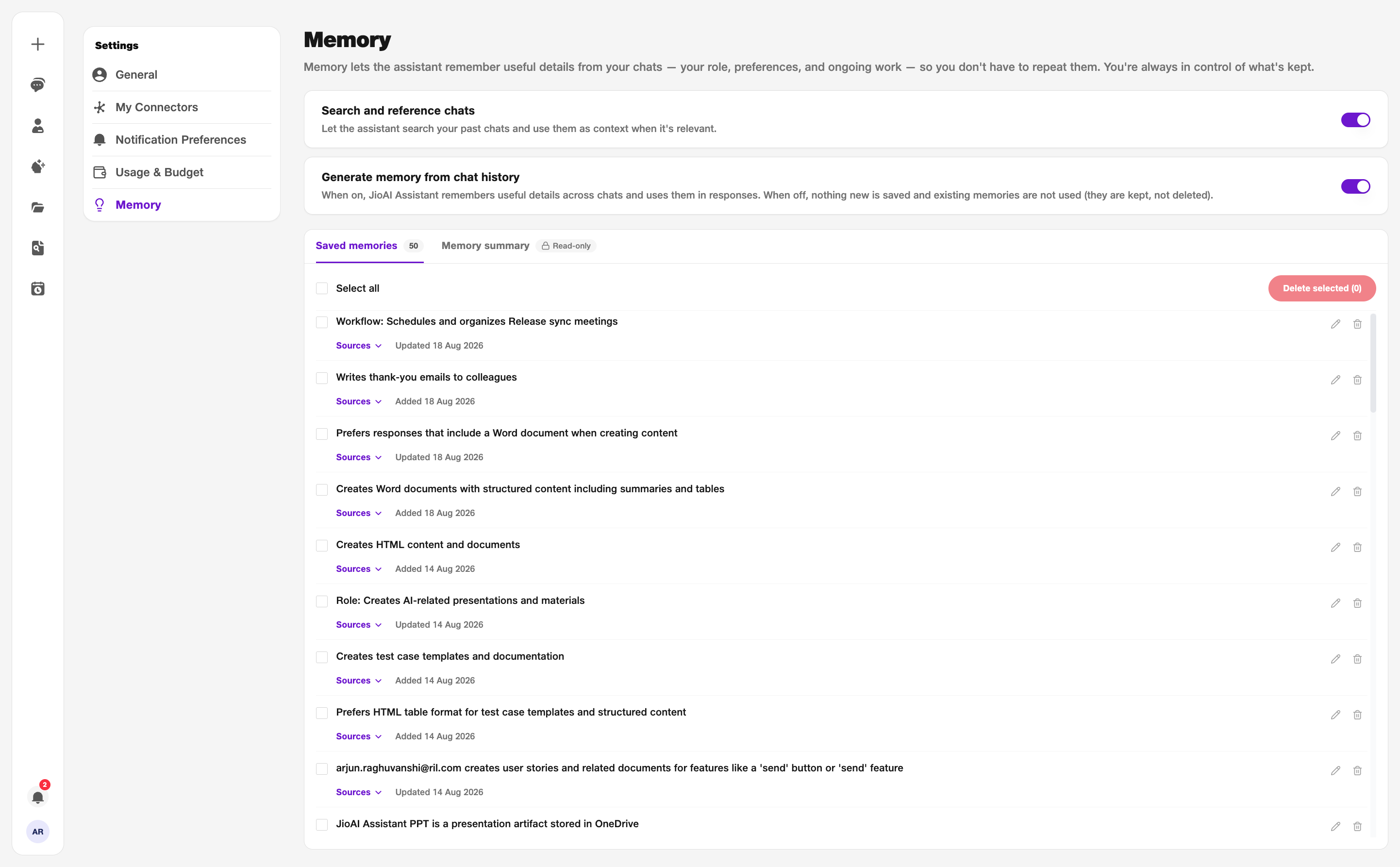
- Saved memories: View and manage your memory list.
- Memory summary: Read-only daily summary of saved context.