Code Interpreter
Ask the assistant to calculate, analyse numbers, process files, or create visuals.
Overview
Code Interpreter executes Python code in an isolated sandbox — it can analyse data, create visualizations, process files, and perform complex calculations. Use it whenever a query needs computing, filtering, aggregating, or cross-referencing over file data — not only for document generation or charts. Describe what you need in plain language; you do not need to write code yourself.
End-to-end flow
A simple path to follow:
New Chat → Open Tools → Select Code Interpreter → Describe your calculation or paste/attach your numbers → Send → Review the result → Ask to change format (chart, table, rounded numbers) if needed
How it works
Outputs:
Creates visualizations as image, and it can also output document, presentation and excel.
If data is incomplete:
If the data does not match the user’s request, the assistant will explain what is missing rather than creating irrelevant charts.
Tip:
When your question involves many numbers, paste them in the message or attach a spreadsheet so the assistant can work from the exact figures you care about.
Walkthrough
1. Select Code Interpreter
Start a new chat, open Tools from the chat controls, and click Code Interpreter — wait until you see that this tool is active for the conversation.
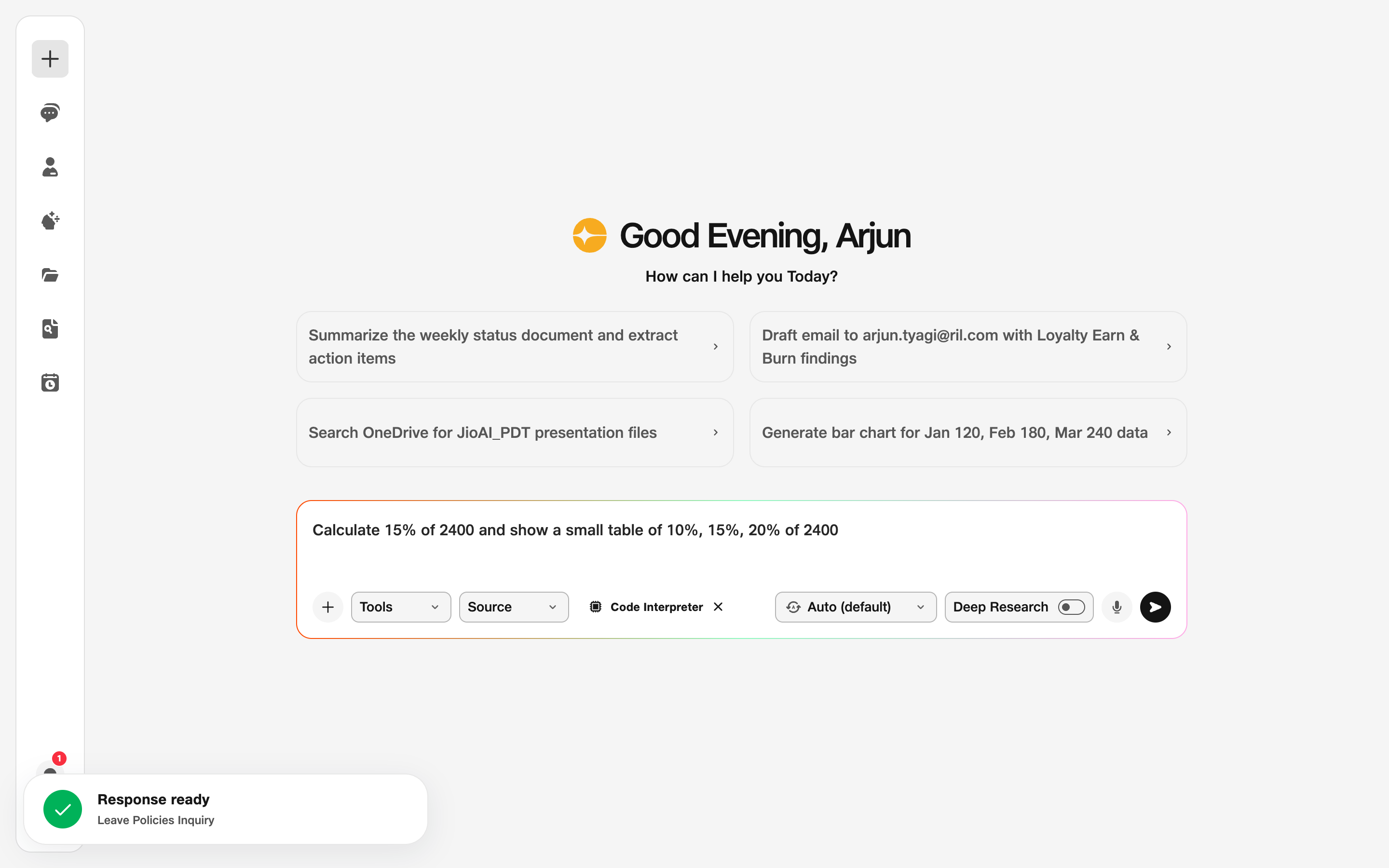
- Tools: Activate Code Interpreter.
2. Describe the task
Type what you want calculated or analysed — include all numbers, units, and any rules (round to two decimals, show as a table, etc.).
Click Send and read the reply carefully. If something looks wrong, send a follow-up with corrected numbers or ask it to show its working in a simpler table.
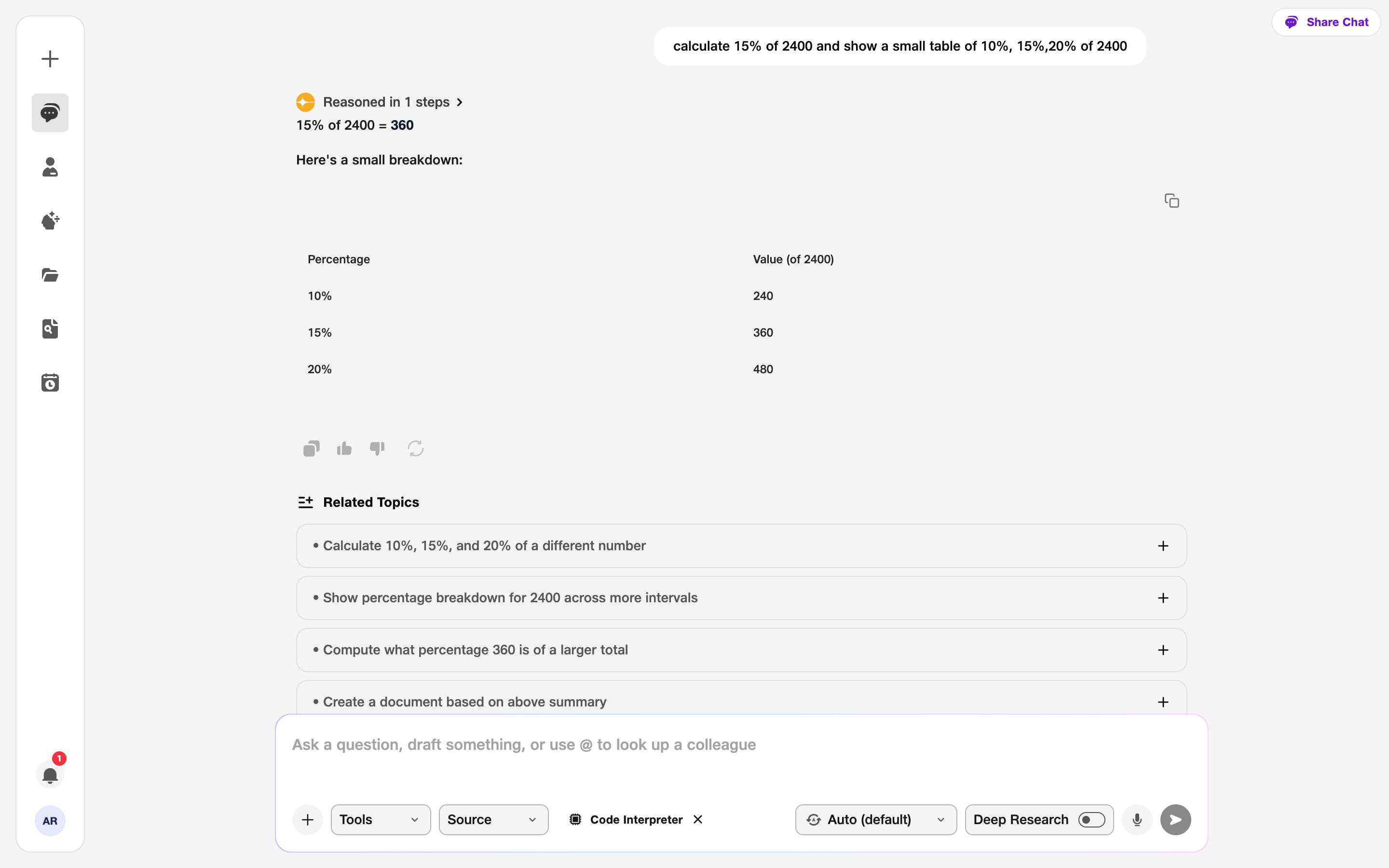
- Prompt: Include the data you want analysed.