Web Search
When you need outside / public web information inside the assistant.
Overview
Web Search lets the assistant look up public information on the internet — news, definitions, industry trends, product specs — and summarise what it finds with links you can check. Use it when your question is about the outside world, not about files or notes inside your company knowledge base. A good result gives you a readable summary plus source links so you can verify important facts yourself.
End-to-end flow
A simple path to follow:
New Chat → Open Tools → Choose Web Search → Type a clear question about public information → Send → Wait for the answer → Open cited links if you need to double-check
How it works
Public only:
Web Search is for publicly available information — it cannot help you with confidential company data, customer details, or internal projects.
Sources:
The answer includes links/citations; open them when the fact matters for a decision, because public web content can change or be outdated.
Combine carefully:
If you need both internal and external context, run Internal Search and Web Search as separate questions rather than mixing private details into a public search.
Tip:
When your question is about company documents, team notes, or connected files, use Internal Search first — Web Search will not see that content.
Walkthrough
1. Select Web Search
Start a new chat, open the Tools menu, and click Web Search so the assistant knows to search the public internet for this conversation.
You should see that Web Search is selected or active before you type. If you accidentally stay in a different tool mode, you shall be required to select the right tool.
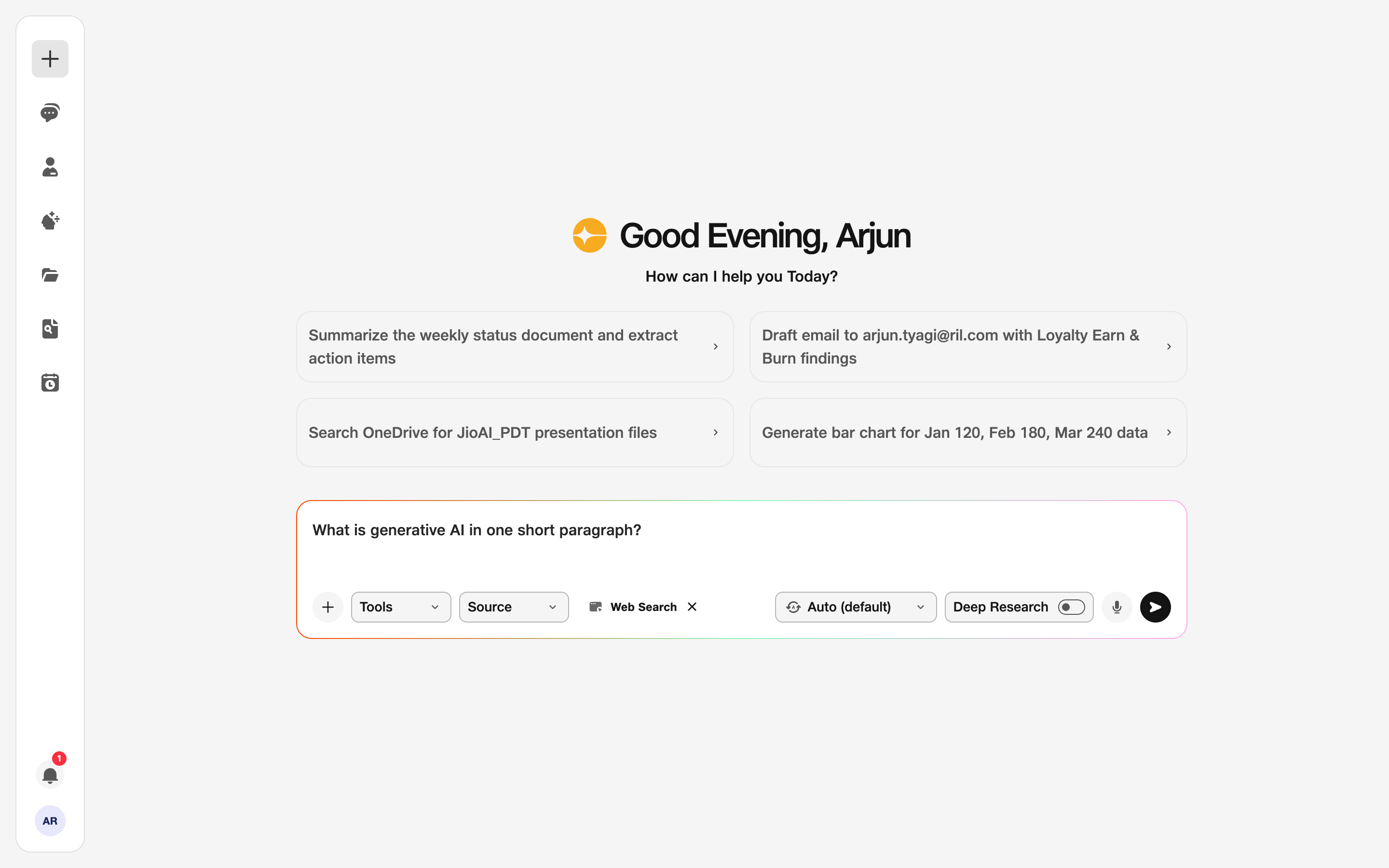
- Tools: Choose Web Search.
2. Ask your question
Type a specific question — for example a product name, a news topic, or a comparison you need — and click Send.
Read the summary first, then follow any source links for numbers, dates, or claims you will share with others. Ask a follow-up in the same chat if you need more depth on one source.
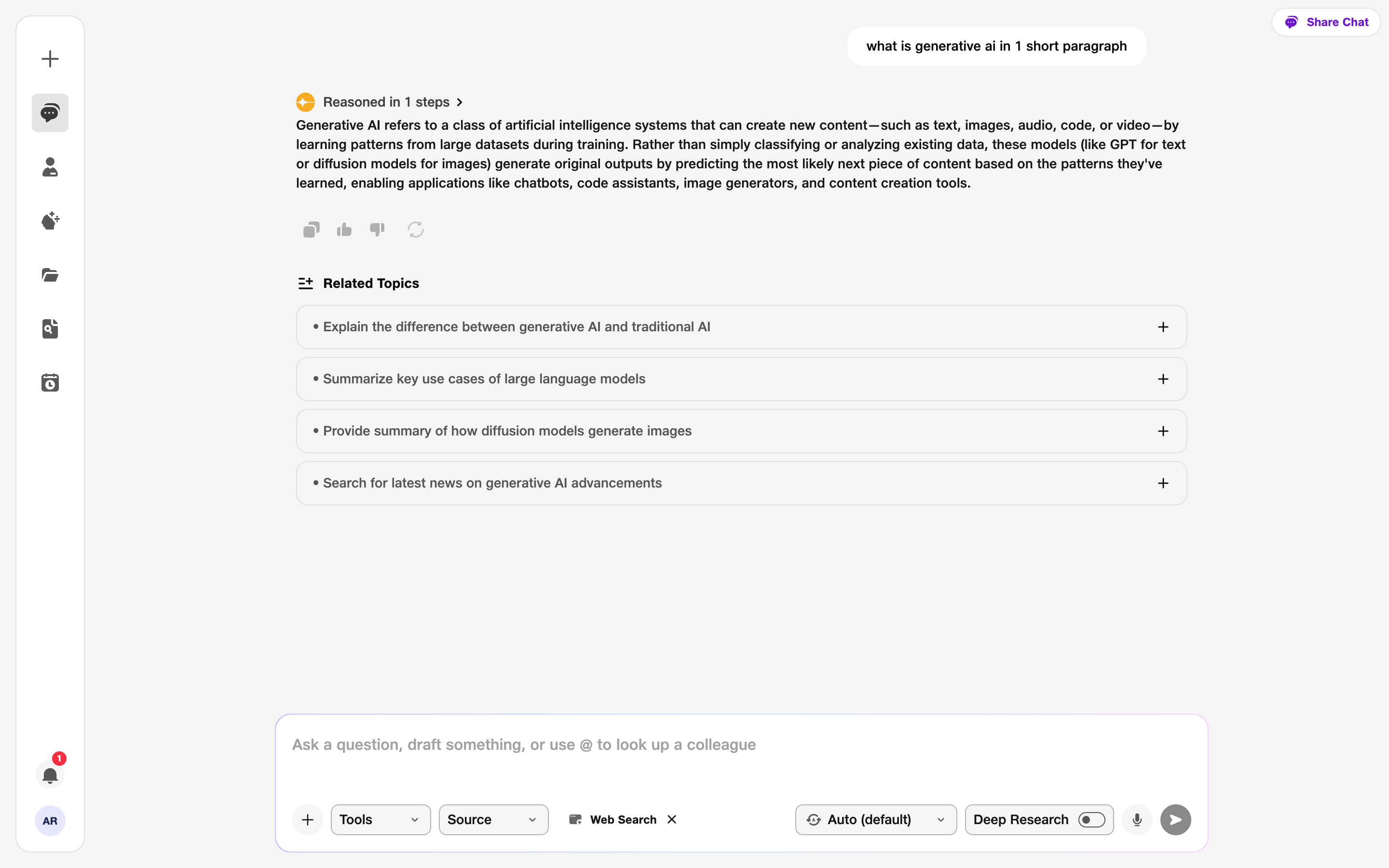
- Query: Keep it specific.