MoM Agent
Your meeting specialist for turning transcripts into branded Minutes of Meeting (.docx) documents.
Overview
MoM Agent is a specialist assistant built for meeting documentation. Use it when you have a meeting transcript and need a polished Minutes of Meeting document — instead of asking in general chat or formatting notes manually. Upload your transcript, pick one of five brand templates, and the agent generates a structured .docx file with a summary. You can revise the output, then draft an email with the document attached when you are ready to share it with attendees.
End-to-end flow
A simple path to follow:
Left sidebar → Click Agents → Find MoM Agent → Launch agent → Upload your meeting transcript → Pick a template (1–5) → Receive your MoM document and summary → Request revisions if needed → Say "send" to draft an email with the document attached
How it works
Transcript required first:
The agent needs a meeting transcript uploaded in the chat before it can generate anything. Attach your transcript file, then ask the agent to create the MoM. Without a transcript, the agent asks you to upload one and waits.
Five brand templates:
The agent offers five standard templates to match different meeting types: 1. 01_Formal_Board — formal board meetings 2. 02_Project_Review — project review sessions 3. 03_Client_Vendor — client or vendor meetings 4. 04_Daily_Standup_Agile — daily standups and agile ceremonies 5. 05_Operations_Dept_Review — operations and department reviews Reply with the template number (1–5) when prompted.
Document generation:
After you pick a template, the agent renders your transcript into a branded .docx using the selected template. It returns a download link and a 4–6 bullet summary of the meeting contents. Review the document and ask for changes if anything needs updating.
Revisions:
If you need edits — corrected names, reworded action items, or added sections — describe the change in chat. The agent re-renders the document with your revision instructions and provides an updated download link.
Email draft:
When you are satisfied with the MoM, say "send" and the agent asks for To and CC recipients in one message. It then drafts an email in Outlook with the MoM attached and returns a link to open and edit the draft. The email is created once per conversation — use the returned link to make any further edits directly in Outlook.
One step at a time:
The agent completes one action per turn — listing templates, rendering the document, revising, or drafting the email — so each step finishes cleanly before the next begins.
MoM only:
The agent handles Minutes of Meeting work only. For unrelated requests, use the main workspace assistant instead.
Tip:
Upload a complete transcript before starting, and pick the template that best matches your meeting type. Review the summary bullets immediately — they are a quick check before you open the full document or share it by email.
Walkthrough
1. Launch MoM Agent
Click Agents in the left sidebar, then find MoM Agent in the catalog. Read the card description to confirm it matches your meeting documentation task, then Launch agent to open a dedicated chat scoped to MoM generation. Have your meeting transcript file ready before you begin.
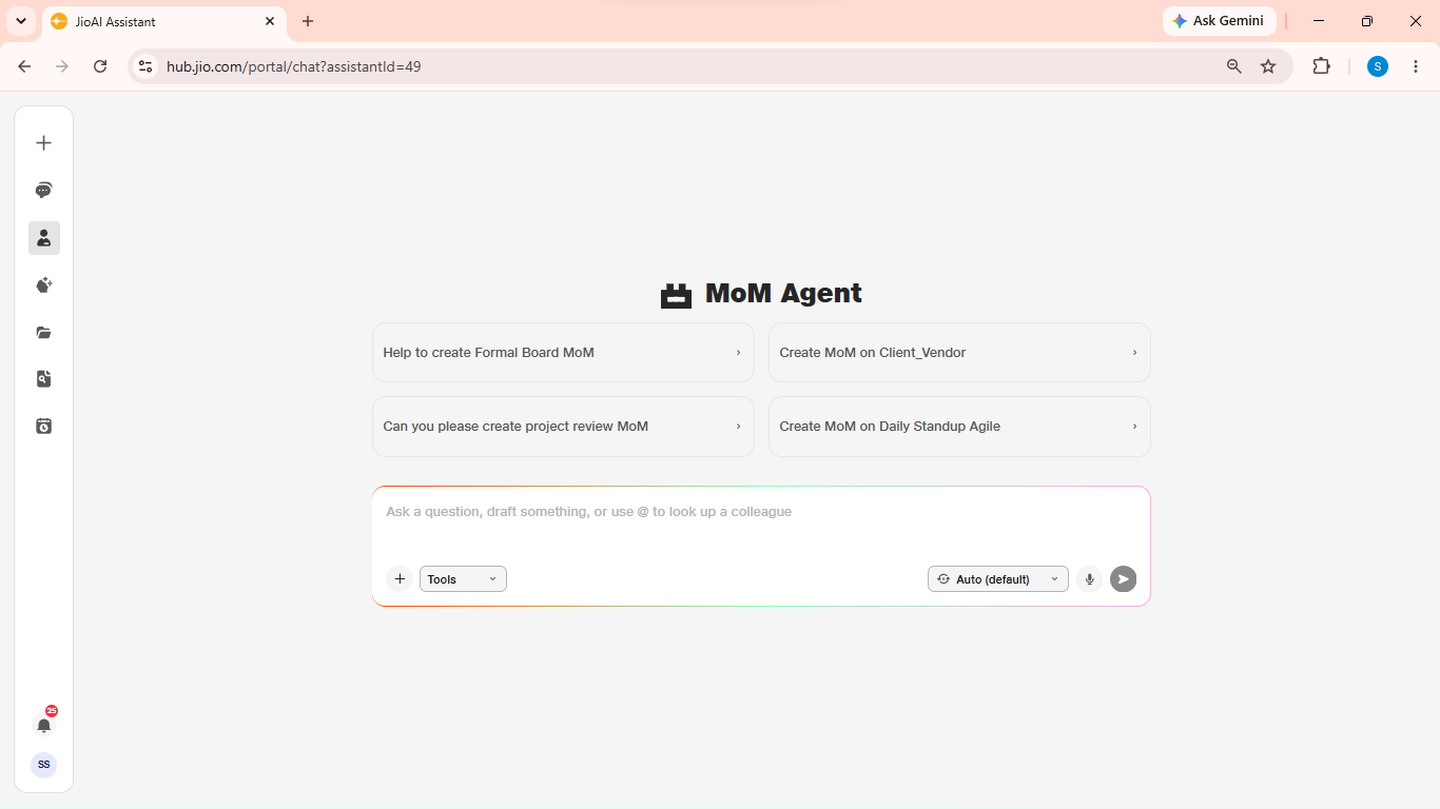
- Catalog: Browse available agents.
- Launch agent: Opens a dedicated MoM chat.
2. Upload your transcript
Click the + button in the chat bar and attach your meeting transcript file. Supported formats include text and document files your account allows for upload. Once the file name appears on the chat bar, ask the agent to create the MoM — for example, "Generate minutes from this transcript." Without an uploaded file, the agent asks you to attach one first.
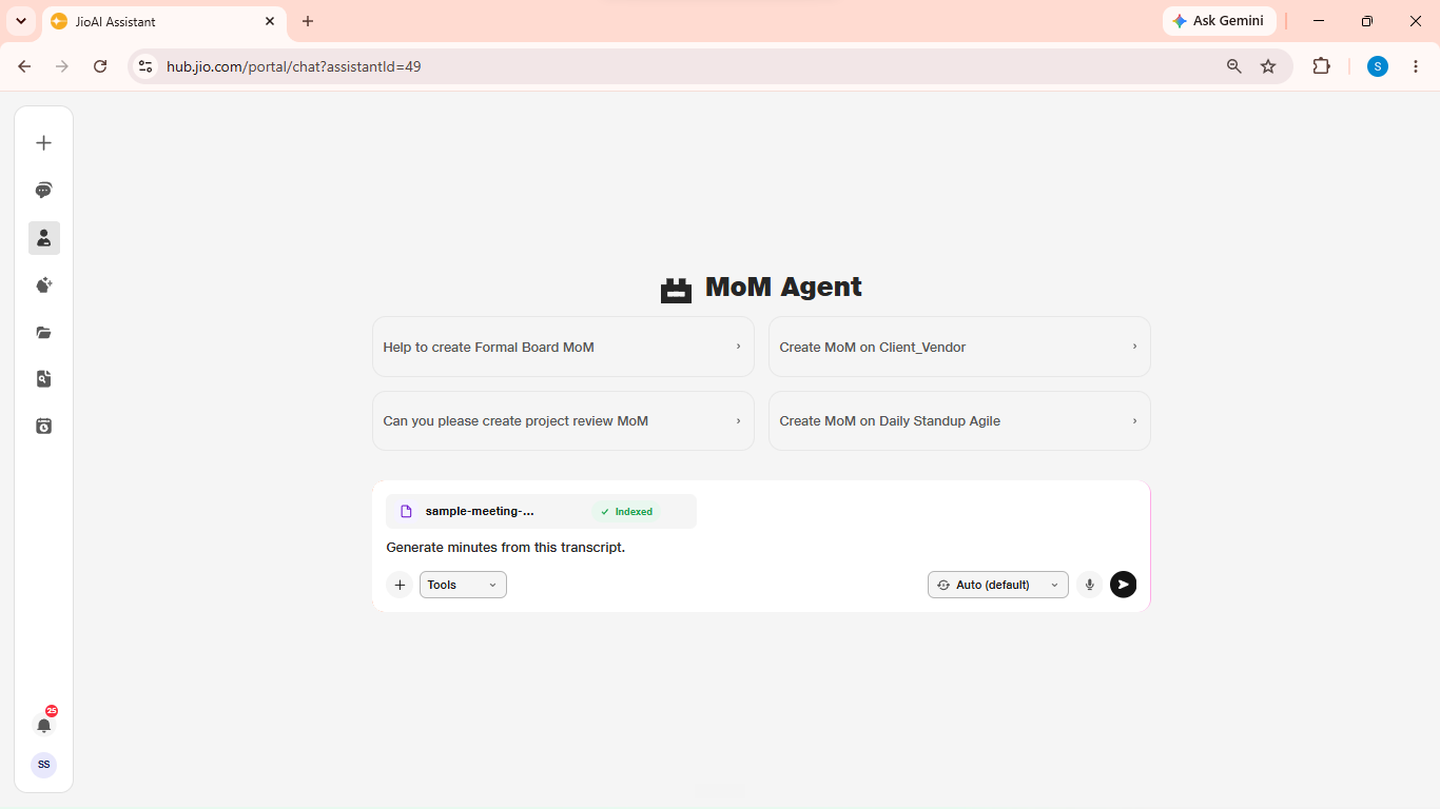
- Upload: Attach the transcript before requesting a MoM.
- File name: Must appear on the chat bar before generation starts.
3. Pick a template
The agent lists five brand templates in order. Read the names and reply with the number that best matches your meeting type — for example, reply 2 for a project review or 4 for a daily standup. Do not describe the template in words; reply with the number only.
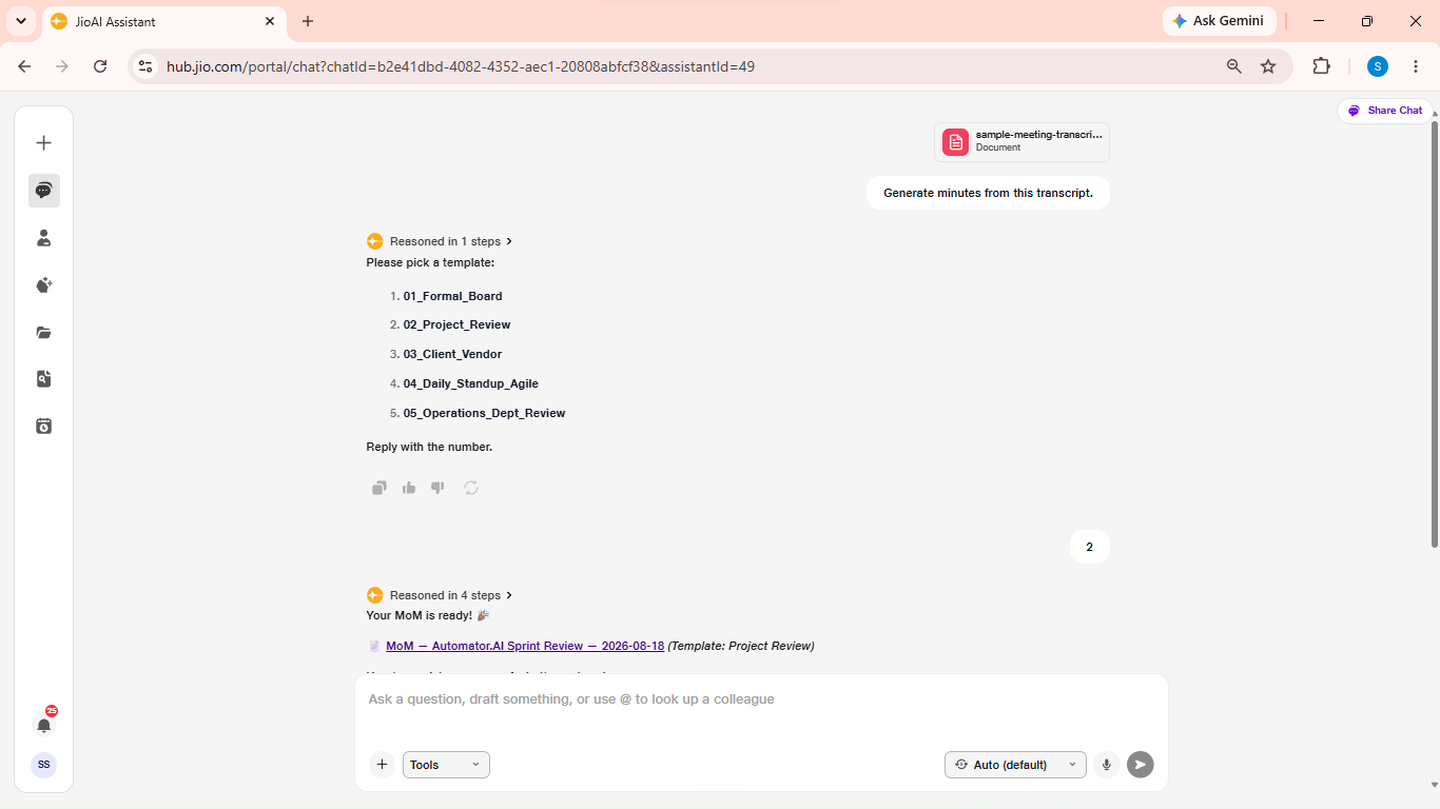
- 01_Formal_Board: Board and formal governance meetings.
- 04_Daily_Standup_Agile: Standups and agile ceremonies.
4. Review your MoM document
The agent generates your branded .docx and returns a download link plus a 4–6 bullet summary of the meeting. Open the document, check attendees, decisions, and action items, then reply "Any changes?" if everything looks correct or describe what needs fixing. If changes are needed, tell the agent what to update — for example, "Fix the spelling of Rajesh's name" or "Add a section for open questions." It re-renders the document and provides a new download link.
- Download link: Open or save the generated
.docx. - Summary bullets: Quick check before sharing.
- Revise: Describe changes and receive an updated file.
5. Send by email
When the MoM is final, say "send". The agent asks for To and CC recipients in a single message — provide email addresses for both. It drafts an email in Outlook with the MoM attached and returns an email link. Open the link to review, edit, or send the email directly from Outlook. Use that same link for any further email edits — the agent creates the draft once per conversation.
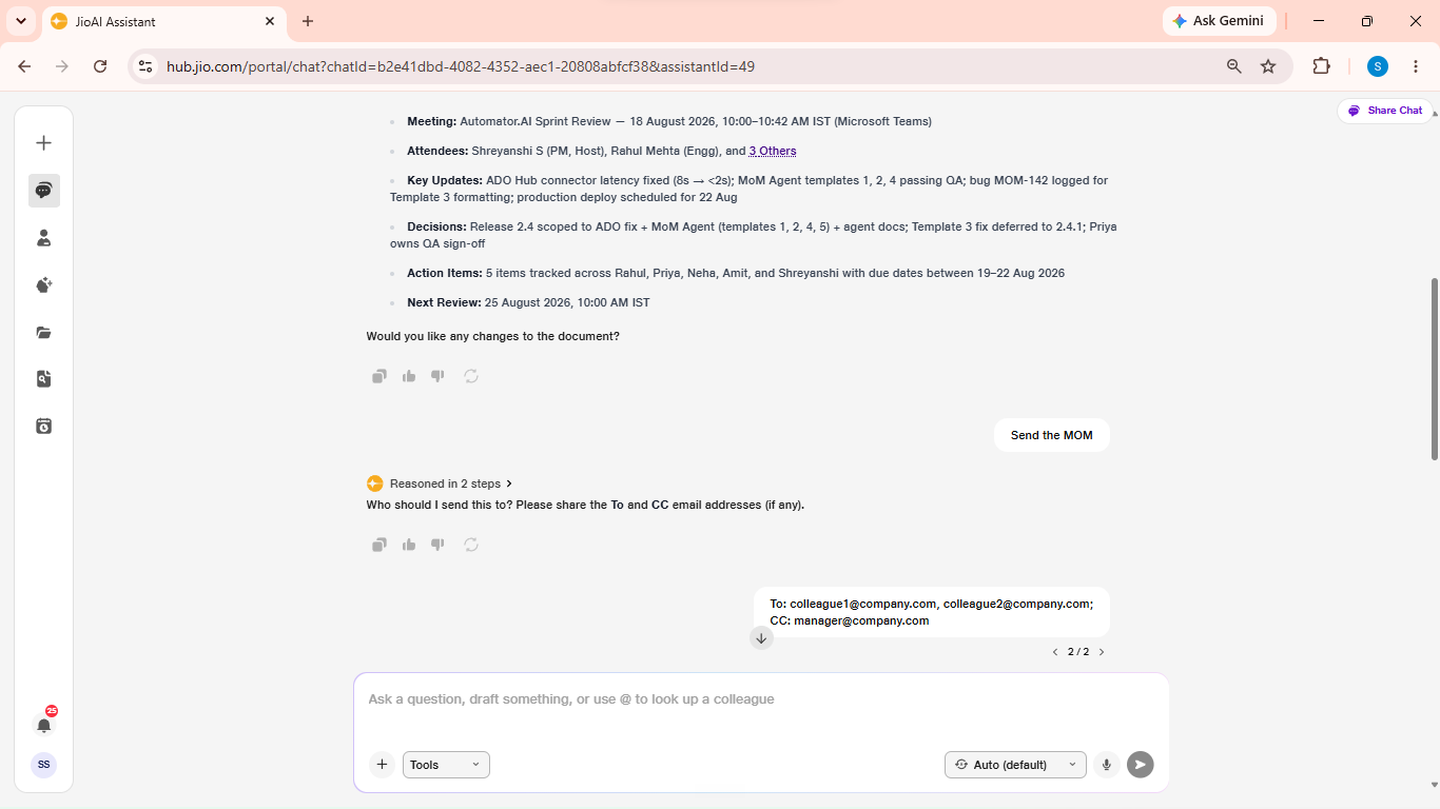
- To / CC: Provide both in one reply.
- Email link: Open in Outlook to review and send.