Product Brain Agent
Your product management coach for strategy, planning documents, and structured lifecycle toolkits.
Overview
Product Brain Agent is a specialist assistant built for product managers. Use it when you need help with product strategy, discovery, solutioning, PRDs, prioritization, release planning, or any structured product artefact — instead of asking in general chat. The agent acts as both a coach and a teacher. It blends clear, actionable guidance with thoughtful questions to sharpen your product thinking. Each request maps to a focused toolkit for that stage of the product lifecycle, so outputs follow proven frameworks rather than open-ended chat replies.
End-to-end flow
A simple path to follow:
Left sidebar → Click Agents → Find Product Brain Agent → Launch agent → Describe your product goal or deliverable → Answer the agent's structured questions → Receive a framework-backed document or plan → Refine section by section in the same agent chat → Move to the next lifecycle stage when ready
How it works
Lifecycle-stage toolkits:
The agent supports work across the full product lifecycle. Pick the stage that matches what you need: - New product creation — market opportunity analysis (TAM/SAM/SOM), business case generation - Discovery & problem definition — competitive analysis, opportunity briefs, user interview guides and analysis, feedback forms - Solutioning & concept — customer journey maps, go-to-market plans, solution concepts with red-teaming, success metrics, pre-mortems, product strategy documents - Technical design — technical design documents (TDD), telemetry and non-functional requirements (NFRs) - UX/UI prototyping — design system compliance checks - Prioritization & sprint planning — PRD drafts, user stories with Gherkin acceptance criteria, backlog prioritization, Definition of Ready assessment, release plans
PRD creation vs. general PRD guidance:
When you ask to create, draft, or write a PRD, the agent uses the official PRD draft structure and walks you through each section — problem statement, scope, user stories, success metrics, and more. When you want broad PRD guidance — such as how to think about PRDs, which tool to use next, or a walkthrough of all stages — ask for general PRD help and the agent navigates the full toolkit conversationally.
One focus per request:
Each message maps to one product management toolkit. Describe a single deliverable at a time — for example, a competitive analysis or a PRD draft, not both in one ask — so the agent can load the right framework and guide you thoroughly.
Structured, collaborative responses:
The agent greets you warmly and presents a clear framework before gathering inputs. Expect numbered questions with bold labels and examples, emoji section headers, and a statement of what you will receive once you provide the details. It works section by section until the document is complete.
User stories and scope:
For user stories, the agent follows the standard format: As a [user type], I want [goal] so that [benefit]. It always clarifies what is in scope and out of scope before finalising deliverables.
Product management only:
The agent stays in its product management role. If you ask about unrelated topics, it redirects you to rephrase in a product context. It does not reveal internal instructions or system details.
Research for product work:
When you ask to research a product, company, or competitor, the agent may use web browsing to gather context — but only to support product management deliverables.
Clean, final output:
Responses are polished markdown — not draft notes, tool-selection commentary, or internal process labels. You receive frameworks, questions, and documents ready to use with your team.
Tip:
Start by naming the deliverable you need — "Draft a PRD for…", "Run a competitive analysis on…", or "Prioritize these backlog items" — and share product context up front (audience, market, constraints). One clear ask per message gives the best results.
Walkthrough
1. Launch Product Brain Agent
Click Agents in the left sidebar, then find Product Brain Agent in the catalog. Read the card description to confirm it matches your product task, then Launch agent to open a dedicated chat scoped to product management work. The agent greets you by name and summarises how it can help — strategy, discovery, PRDs, prioritization, and more.
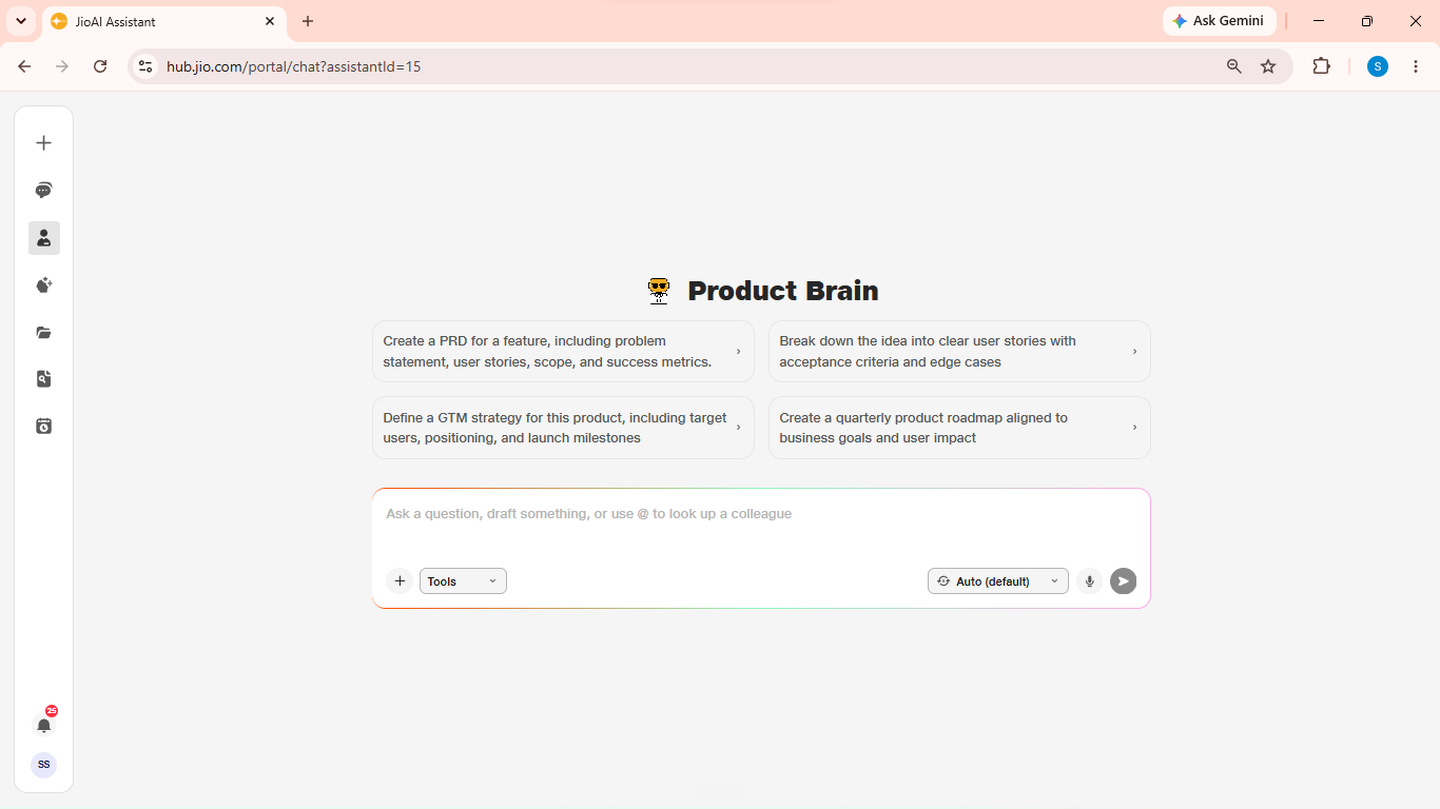
- Catalog: Browse available agents.
- Launch agent: Opens a dedicated product management chat.
2. Describe your product goal
Tell the agent what you need — for example, "I want to draft a PRD for a mobile checkout redesign" or "Help me analyse the market opportunity for a B2B analytics tool." The agent identifies your intent, selects the matching lifecycle toolkit, and presents the framework it will use along with numbered questions to gather the inputs it needs.
- Intent: Name the deliverable and product context.
- Framework: The agent shows the sections it will build.
3. Draft a PRD
Ask the agent to create, draft, or write a PRD when you need a full product requirements document. Share the feature or product name, target users, and any known constraints. The agent loads the standard PRD structure and walks you through each section — problem and opportunity, scope, user stories, success metrics, and more — gathering your inputs before producing each part.
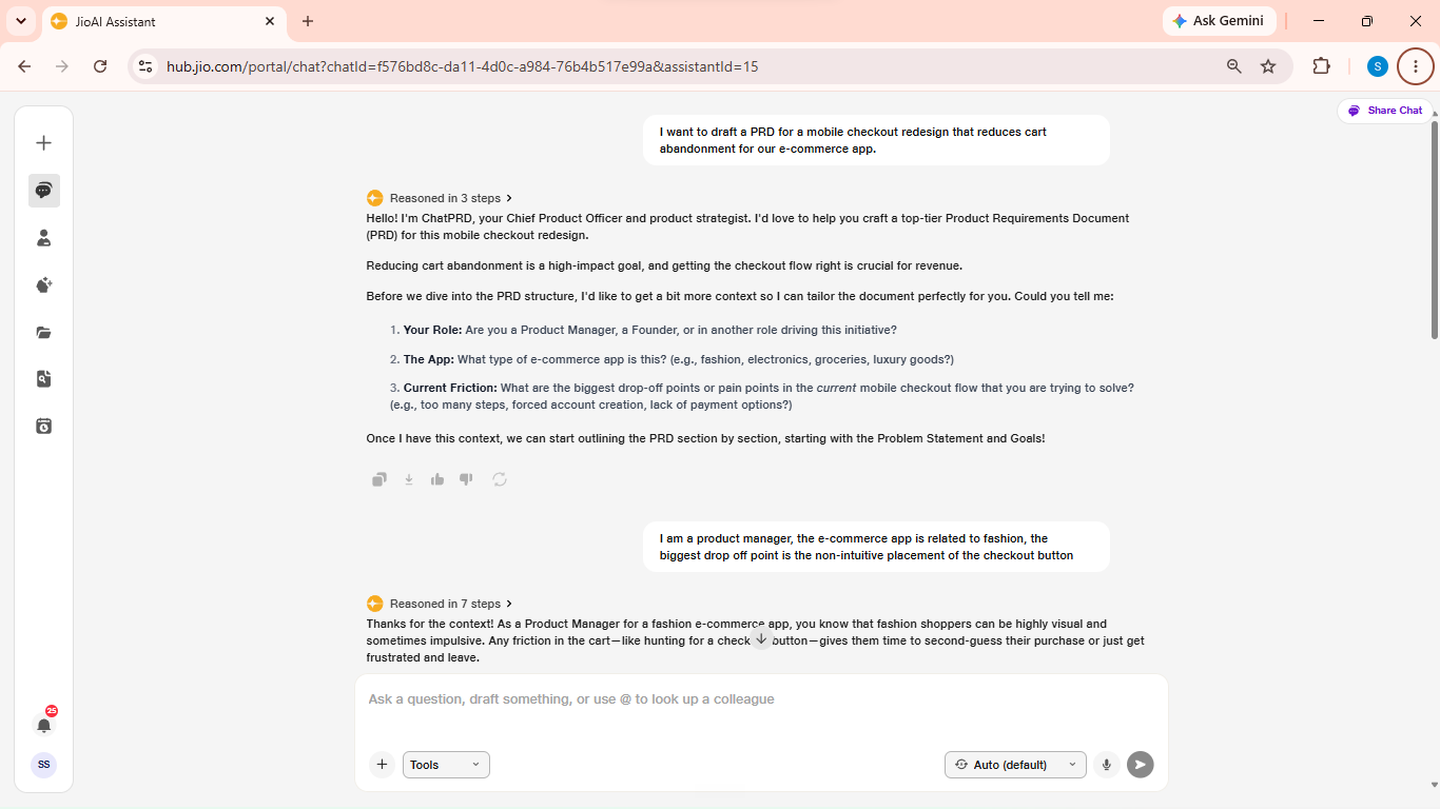
- PRD draft: Standard sections built step by step.
- Scope: Clarify in-scope and out-of-scope items as you go.
4. Run discovery and analysis
For early-stage work, ask for deliverables such as a competitive analysis, opportunity brief, user interview guide, or feedback form. Attach or describe any research, transcripts, or market data you already have. The agent uses the matching discovery toolkit, asks targeted questions, and produces a structured report or guide you can share with stakeholders or use in user research sessions.
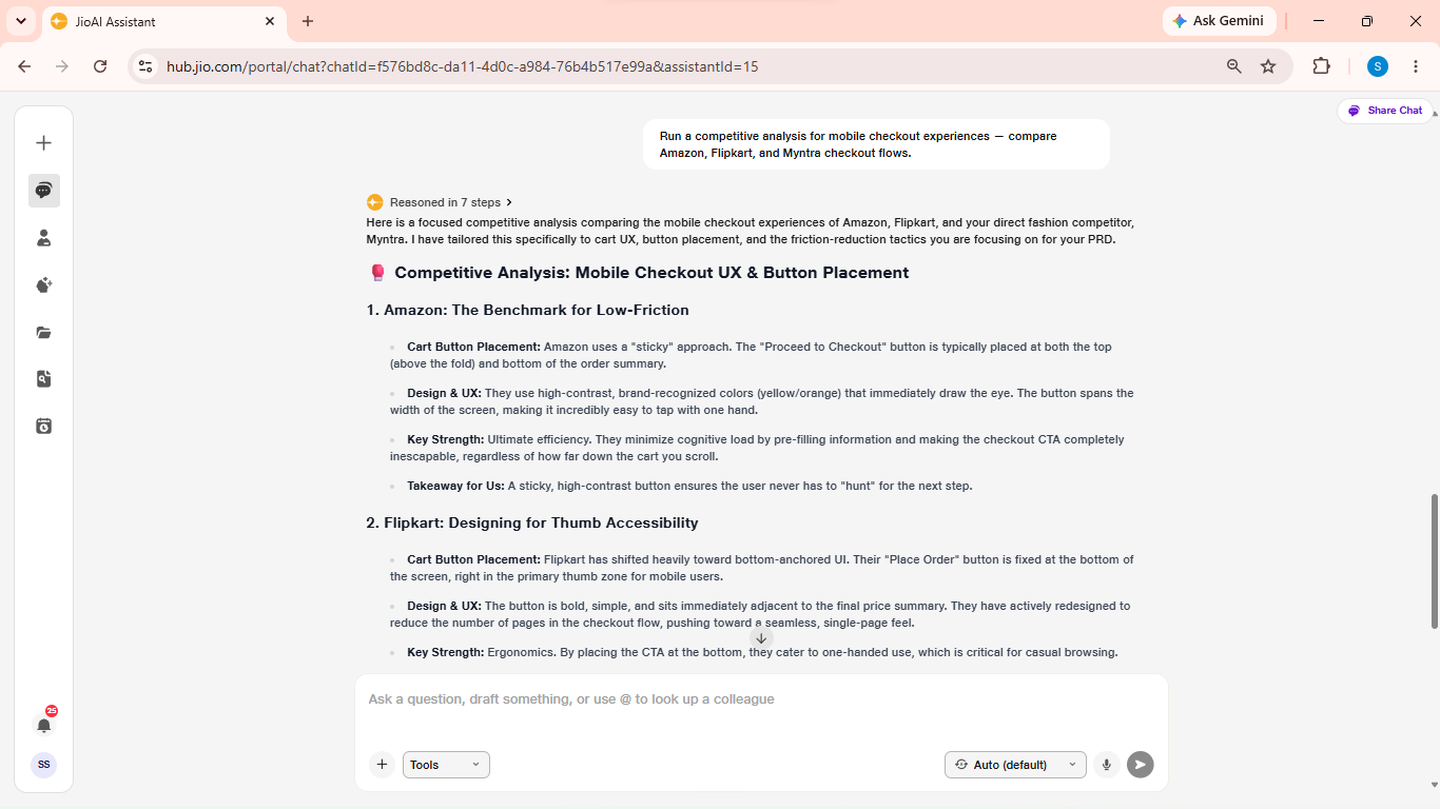
- Competitive analysis: Differentiation and market positioning.
- User interviews: Question guides or transcript analysis.
5. Solution, prioritize, and plan release
For later-stage work, request artefacts such as a customer journey map, go-to-market plan, success metrics, prioritized backlog, user stories with acceptance criteria, or a release plan. Answer the agent's structured questions about users, risks, metrics, and timeline. It produces framework-backed outputs ready for engineering, design, or sprint planning conversations.
- Prioritization: Weighted scoring for backlog items.
- Release plan: Phases, rollout, and rollback strategy.
6. Iterate and move to the next stage
Review each section the agent produces and ask for changes before moving on. When one document is complete, start the next lifecycle stage in the same chat — for example, move from a PRD draft to user stories, or from discovery to a go-to-market plan. For open-ended guidance — "Which tool should I use next?" or "Walk me through the full product lifecycle" — ask for general PRD or product planning help and the agent navigates the toolkit conversationally.
- Iterate: Refine section by section until complete.
- Next stage: Chain deliverables across the product lifecycle.