Support Agent
Ask Support Agent everyday product questions — for example how to log in.
Overview
Support Agent (JioAI Support) helps you learn and use JioAI Assistant. Open it from Agents, ask a plain question such as How can I login, and read the guided steps in the reply. Use it when you need product help rather than a work specialist.
End-to-end flow
A simple path to follow:
Left sidebar → Agents → Open JioAI Support / Support Agent → Type your question (for example How can I login) → Send → Follow the steps in the response
How it works
When to use it:
Ask how to use features, sign in, or get started — Support Agent explains JioAI Assistant itself.
Clear asks:
Short questions work best — for example How can I login or How do I connect Microsoft 365.
Tip:
Stay in the Support Agent chat for follow-ups until the steps are clear.
Walkthrough
1. Ask Support Agent
Open Agents, launch JioAI Support (Support Agent), and type a question such as How can I login in the prompt.
Send the message in the Support Agent chat. Keep the question short and specific.
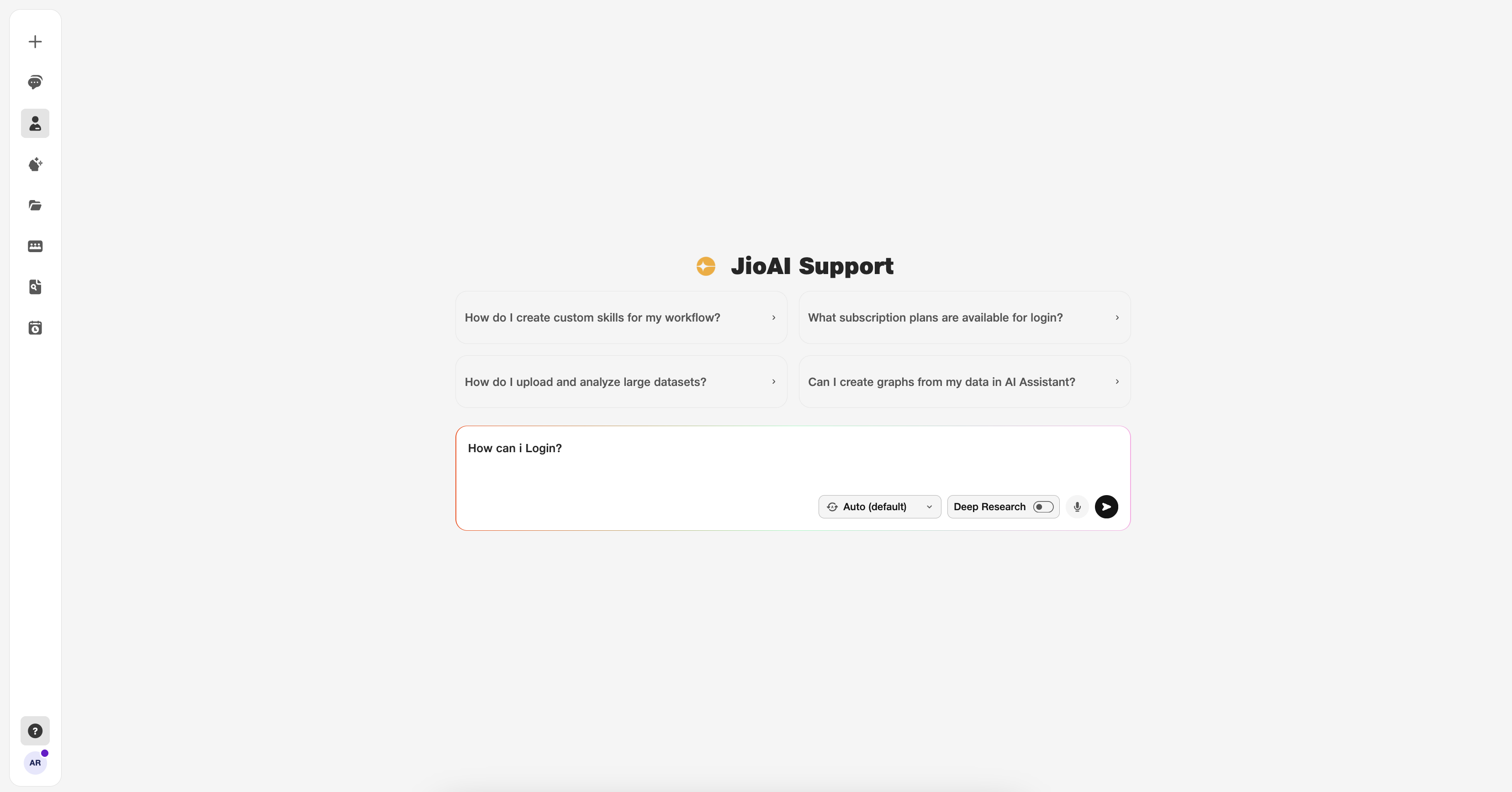
- JioAI Support: Opens the Support Agent chat.
- Prompt: Example: How can I login.
2. Read the guided response
Support Agent replies with clear steps for your question — for login, that covers sign-in and what to do next.
Follow the steps in the answer. Ask a follow-up in the same chat if you need more detail.
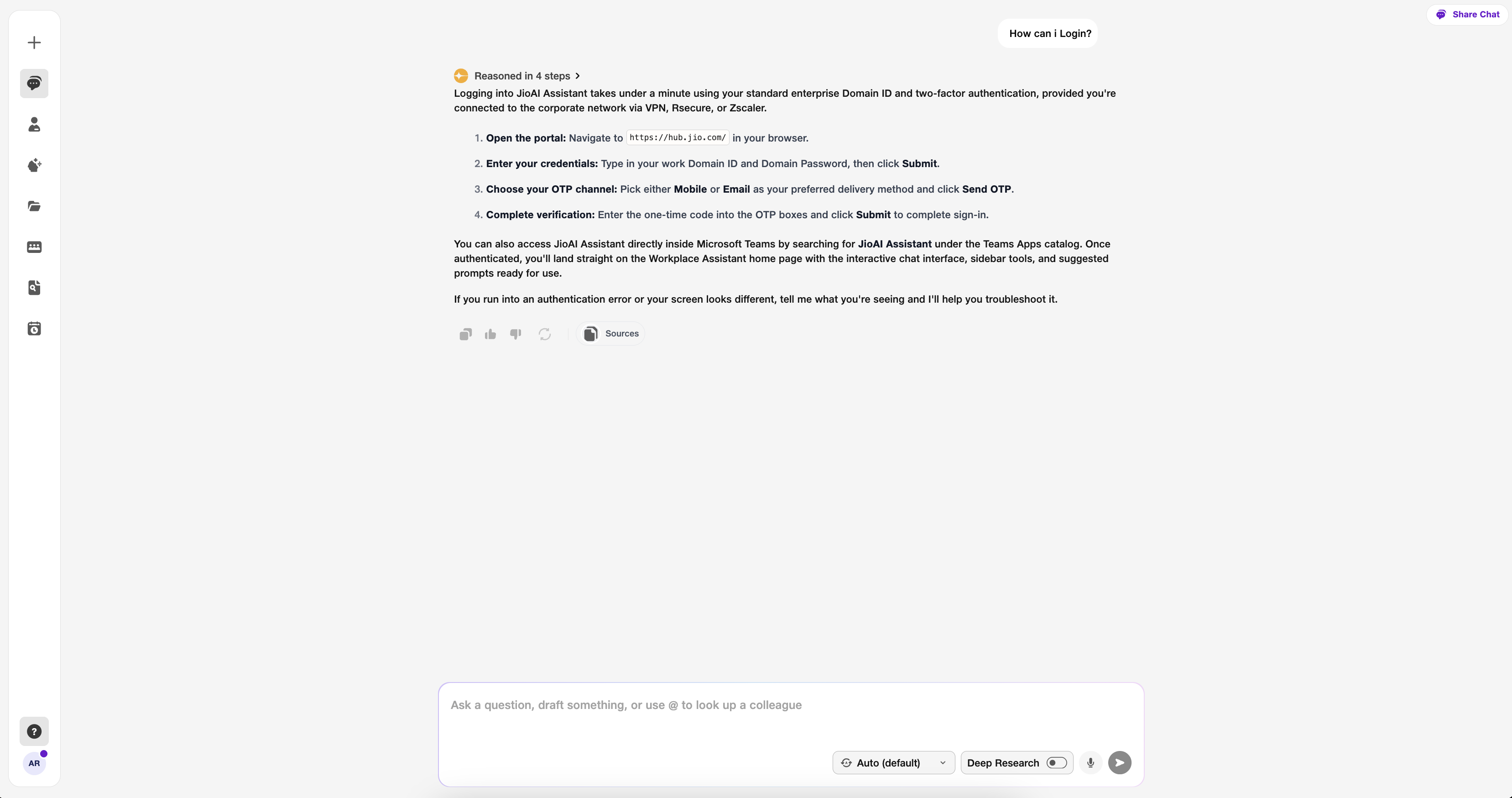
- Response: Step-by-step product help.
- Follow-up: Ask again in the same chat.